Why Does the Stream Look Fine but the Game Feels Delayed?
It’s a frustrating puzzle for many gamers and streaming fans alike. You’re watching a slick, multi-camera studio production of your favorite online casino app or mobile website, and the stream looks flawless—crisp visuals, smooth motion, perfect lighting. Yet, when you try to interact or place a bet, the game feels sluggish. The buttons lag, the outcomes delay. What’s going on?
In this article, we’ll unravel the mystery of game state delay and latency between systems. We’ll draw insights from industry leaders like Hardware Times, MRQ, and standards set by the Society of Motion Picture and Television Engineers (SMPTE). We’ll also explore the unique challenges when producing mobile-first streaming content versus traditional multi-camera studio broadcast environments.
The Disconnect: Stream Looks Good, Game Feels Slow
At its core, the problem boils down to a mismatch between the visual presentation and the game's internal state. Let’s break down what’s happening.
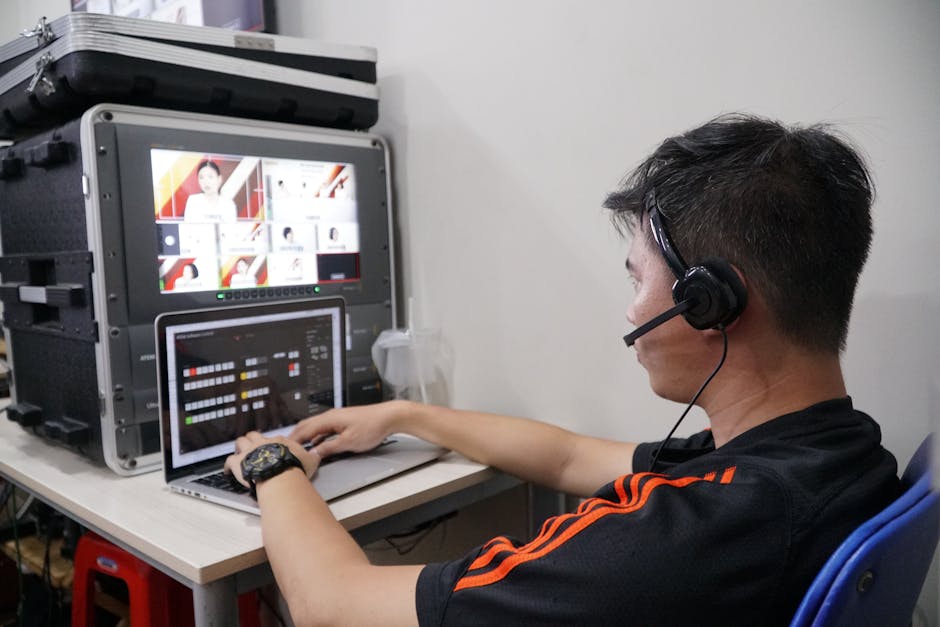
- Multi-camera Studio Production: Modern live game shows and casinos use multi-camera setups to capture dynamic angles, presenter reactions, game tables, and animated overlays. These separate feeds must be synchronized, color-corrected, and lit consistently to maintain visual quality.
- Lighting and Visual Consistency: SMPTE guidelines push for minimal flicker, uniform lighting, and consistent color calibration. When lighting changes, it creates an illusion of visual delay even if the signal is instantaneous.
- Mobile-First Streaming Constraints: To serve millions of users, online casino apps and mobile websites often use aggressive compression and adaptive bitrate streaming. Devices have varying CPU power, screen refresh rates, and decoding capabilities, impacting responsiveness.
- Encoding and Compression: Each layer—camera to encoder, encoder to CDN, CDN to device—adds latency. Video codecs (H.264, H.265, AV1) trade off quality versus latency. The smoother and sharper the stream, often the heavier the processing delay. Additional resources
Combine all these, and you get a situation where the stream quality is high, yet the player's interactive experience lags behind real-time events.
Multi-Camera Studio Production: Where Timing Is Everything
Industry veterans at Hardware Times frequently emphasize the complexity of live multi-camera workflows. A simple studio can have 4–8 cameras, each feeding to a vision mixer or hardware switcher. Here's the catch:
- Camera Sync: Each camera might have slightly different internal processing delays. SMPTE has long championed genlock standards to keep cameras synchronized to a common reference. Without this, the operator risks visible frame shifts when switching angles.
- Signal Path Delays: Video signals traverse cables, frame grabbers, encoders, and networks—each introducing tenths of a second delay. The cumulative timing shift matters.
- Graphics Overlays: Game UI elements like scores or timers are often layered separately. If these overlays and the game logic aren’t precisely synced, the player perceives delay.
MRQ (mrq.com) has been creating low-latency pipelines precisely to reduce this impact in live game show productions. Their hardware and software solutions focus on preserving synchronization from capture to stream without compromise.
What Happens When This Box Overheats at Hour 9?
Producers rarely think about how hardware behaves during https://enyenimp3indir.net/what-is-redundancy-in-a-live-casino-studio-setup/ marathon productions. Heat causes encoding chips to throttle, increasing latency unpredictably. A slightly longer delay in one camera feed means the stream looks fine, but the real-time game logic appears late. This discrepancy is a silent killer of UI timing accuracy in live gaming.
Lighting and Visual Consistency: The Human Perception Factor
The Society of Motion Picture and Television Engineers (SMPTE) sets standards for how lighting should be managed in live TV environments. While related more to image quality than latency, lighting shapes the perceived fluidity and realism of a stream.
Light flicker or uneven brightness cycles can trick the brain into thinking visuals are delayed or jittery. Even worse, adaptive mobile streams may change resolution or bitrate dynamically, causing brief visual shifts that feel like lag.
Ensuring a perfectly balanced, flicker-free multi-camera setup is the foundation. This reduces false perceptions of latency even if the actual latency between systems exists.
Mobile-First Streaming Constraints: Tradeoffs in Latency and Quality
Most modern gaming streams are consumed on handheld devices—phones and tablets. Unlike controlled studio monitors, these devices vary widely:
- Network bandwidth (WiFi, 4G, 5G)
- CPU/GPU capabilities for decoding streams
- Screen refresh rates (60Hz, 90Hz, 120Hz)
- Operating system buffering behaviors
Online casino apps and mobile websites must balance robustness with responsiveness. To limit buffering in unstable networks, many streaming apps use buffering algorithms that delay game visuals to pre-load frames. This creates a buffer that smooths playback but adds hundreds of milliseconds of latency compared to the actual game state.
Adaptive Bitrate Streaming and Latency
Adaptive bitrate streaming changes video quality on the fly based on network conditions. While critical for ensuring the stream doesn’t freeze or pixelate, it adds latency:
Encoding Stage Typical Added Latency Impact on Game State Delay Capture & Camera Processing 50-100 ms Initial delay before frame is available Encoder Buffering 100-300 ms Latency added due to group of pictures (GOP) structure Network Transit 50-200 ms Latency varies based on CDN & user connection Player Buffering 100-500 ms Controls to prevent stutter but delays UI timingThe total latency can easily reach 700 ms or more—nearly a second behind live events. The stream looks smooth because of buffering, but the game's backend state and player input remain out of sync.
Encoding and Compression: The Latency Balancing Act
The choice of codec and encoding settings deeply influences perceived latency.
- H.264: The most widespread codec with moderate latency. Good for compatibility but struggles to achieve ultra-low latency on mobile devices.
- H.265 (HEVC): Better compression but often more processing time, increasing delay unless using specialized hardware.
- AV1: The emerging codec with strong compression gains but currently high encoding latency, making it less ideal for time-sensitive streaming.
Hardware encoders can reduce encoding time but raise concerns like overheating—again, referring back to the Hardware Times mantra: What happens when this box overheats at hour 9?
Software encoders offer flexibility but demand powerful CPUs, which can throttle on mobile or cloud instances under load.
Why Does This Matter for Online Casino Apps and Mobile Websites?
The interactive nature of casino games demands minimal game state delay. Players expect their bets, spins, or card flips to react instantaneously. Any lag erodes trust and satisfaction.
When the visual feed lags less than the game state’s backend updates—or when buffering prioritizes smoothness over immediacy—the player experiences a disconnect. This is the problematic latency between the displayed action and the actual game outcome.
MRQ and other innovators in the space work closely with SMPTE to adopt best practices in synchronizing UI timing cues with multi-camera feeds. By pushing real-time signaling protocols and streamlining encoding pipelines, they aim to keep the game flow tight while retaining broadcast-quality visuals.
Mitigating Latency and Improving UI Timing in Streaming Games
Here are some practical takeaways to close the gap between great stream quality and snappy game feel:
- Use Genlock and Precision Time Protocol (PTP): Synchronize cameras and systems at the hardware layer for frame-accurate alignment.
- Optimize Encoder Settings: Lower GOP sizes and tune bitrate to minimize encoder buffering without sacrificing too much quality.
- Employ Low-Latency Protocols: Solutions like WebRTC, CMAF Chunked Encoding, and SRT can cut delivery latency significantly.
- Monitor Hardware Health: Avoid overheating encoder boxes by proactive cooling and load balancing.
- Balance Buffer Against Responsiveness: Dynamically adjust playback buffers based on network stats and gameplay requirements.
- Align UI Updates With Backend Data: Ensure that game logic and overlay graphics are tightly synchronized to avoid perceived lag.
Conclusion
It’s tempting to just chase bandwidth, resolution, or churn buzzwords like "4K ultra-low latency" without digging into the real system behavior. The truth is more nuanced.

The difference between a visually perfect stream and a responsive game often comes down to carefully synchronized multi-camera production, consistent lighting, mindful encoding decisions, and mobile-first constraints. Companies like Hardware Times, MRQ, and adherence to SMPTE standards help set the stage for better workflows—but it requires a holistic approach.
Next time your favorite online casino game looks crisp but feels delayed, remember: it’s not just the pixels. It’s the invisible timing machinery behind the scenes striving to keep everything in sync, even when the heat starts building at hour 9.